Prevent Colour Differences Between Uniform Batches
Reduce visible shade changes by controlling the garment model, fabric source, dye lot, colour reference, printing specifications and reorder process.
Direct answer
Why Do Uniform Batches Sometimes Look Different?
Colour differences can happen when uniforms are produced from different fabric dye lots, different garment models, different suppliers or changed printing settings. Even when the colour name is the same, a later batch may appear slightly lighter, darker, warmer or cooler.
The best prevention method is to control the complete specification. Record the exact brand, product code, fabric, colour code, printing method, ink or thread reference, logo size and approved sample. For important uniform programmes, order replacement stock together or ask the supplier to match the approved reference as closely as practical.
Use the Same Product Code
Reordering the same colour name from a different garment model may still produce a mismatch.
Keep an Approved Sample
A physical reference helps the supplier compare later garments, thread and printed colours.
Document Every Detail
Save artwork files, colour references, sizes, placement measurements and production notes.
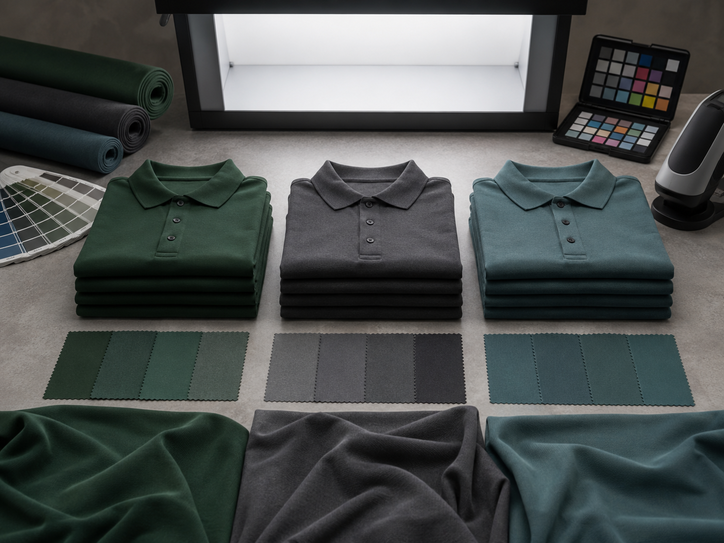
Quick comparison
Common Causes of Batch Colour Differences
| Cause | What may change | Why it happens | How to reduce the risk |
|---|---|---|---|
| Different fabric dye lots | Garment shade | Fabric is dyed in separate production runs | Order together where possible and keep an approved garment sample |
| Different product model | Colour, texture and fabric weight | Two products with similar colour names may use different fabrics | Record the exact brand, product code and colour code |
| Changed print settings | Logo brightness or tone | Ink, film, curing, pressure or colour profile may differ | Reuse approved artwork and production specifications |
| Changed embroidery thread | Stitched logo colour | A similar thread shade may not be an exact match | Record the thread brand and colour reference |
| Different lighting | How the colour appears | Warm indoor light and daylight can make colours look different | Compare samples under consistent neutral lighting |
| Uneven ageing | Old uniforms versus new replacements | Existing garments may fade after repeated washing and sun exposure | Separate normal ageing from a genuine new-batch mismatch |
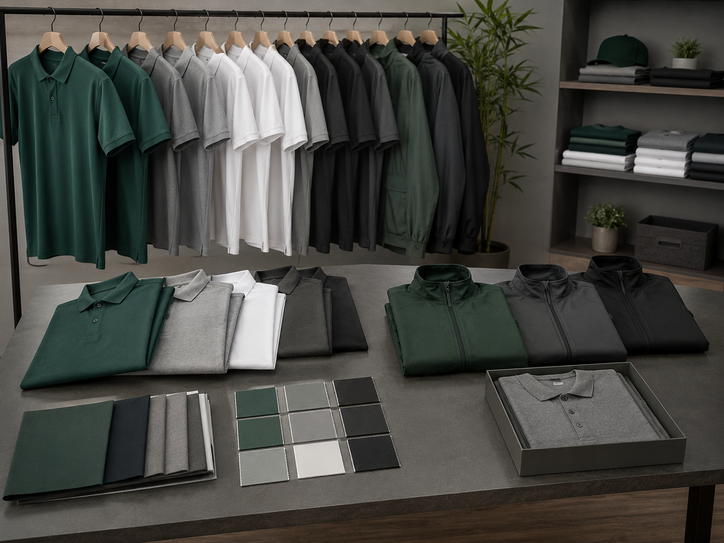
Garment consistency
Control the Uniform Product Before Reordering
Record the Brand and Product Code
A colour such as navy, royal blue or red may differ between brands and even between models from the same brand. Save the full product name and code instead of relying on a general colour name.
- Brand name
- Product code
- Official colour name or code
- Fabric composition and weight
Order Core Quantities Together
When colour consistency is highly important, producing the main quantity at one time can reduce the chance of receiving garments from separate dye lots.
- Estimate staff growth
- Include replacement stock
- Plan common sizes carefully
- Store spare garments properly
Keep an Unused Reference Garment
Reserve one approved garment from the first batch and store it away from sunlight, heat, moisture and repeated washing.
- Label the order date and product code
- Keep it unwashed where practical
- Store it in a clean, dry place
- Use it only for future comparisons
Prepare a Backup Colour Policy
When an exact garment colour is unavailable, decide whether the company will accept a close shade, move the entire department to a new colour or wait for restocking.
- Define an acceptable shade range
- Approve backup product models
- Keep department colours documented
- Avoid mixing visibly different shades randomly
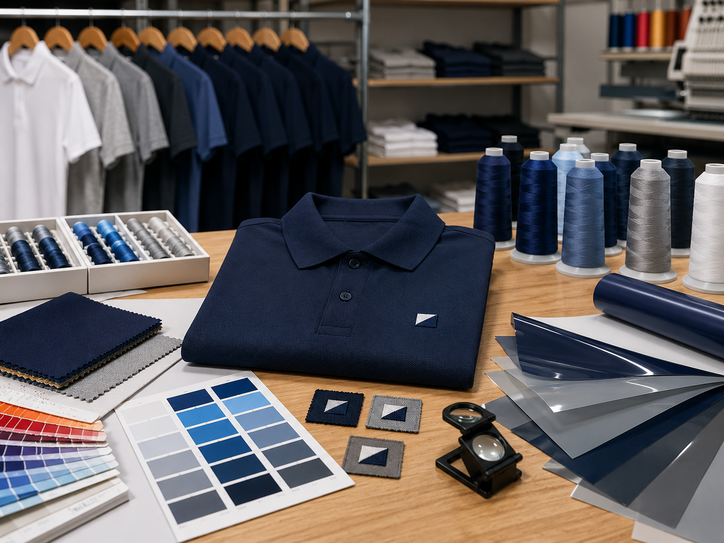
Printing and branding control
Keep Logos Consistent Between Batches
Garment colour is only one part of the problem. Printed and embroidered logos can also change when artwork files, colour references, materials or production settings are not controlled.
Reuse the Approved Artwork File
Keep the same final artwork, dimensions and placement notes. Different source files or colour adjustments can change how the logo appears.
- Save the approved print-ready file
- Record the finished logo width
- Keep placement measurements
- Compare against the approved sample
Control Ink and Curing Details
The ink system, underbase, mesh, curing and fabric colour can affect the final tone. Repeating the approved specification helps maintain consistency.
- Keep the approved ink colour reference
- Record whether an underbase was used
- Use the same print size and screen setup
- Review the first production piece
Record Thread References
Similar-looking thread colours can appear different under daylight or on different garment colours. Save the thread brand, colour number and approved stitch file.
- Thread brand and colour code
- Approved embroidery file
- Logo size and stitch density
- Backing and placement notes
Keep the Same Colour Profile and Fabric
Sublimation colour can change when the polyester fabric, printer profile, paper, ink or heat settings change. Keep the approved production setup and physical sample.
- Approved fabric type
- Final artwork colour values
- Printed colour sample
- Consistent production settings

Material and colour guide
Design Uniforms for Easier Future Matching
Rare Fashion Colours
Trend colours may have less stable long-term availability than standard black, navy, grey or white.
Changing Fabric Types
Cotton, CVC, TC and microfiber reflect light differently, even when the colour name is similar.
Mixing Old and New Uniforms
Sunlight, detergent and repeated washing can make older garments appear lighter than new stock.
Choose Colours With Reorders in Mind
- Prefer established standard colours for long-term staff uniforms.
- Keep the same garment model across one department where possible.
- Use accent colours in smaller areas if exact matching may be difficult.
- Record official brand colour names and internal company colour references.
- Use neutral lighting when approving garment and logo colours.
- Do not use phone photographs as the only colour standard.
Useful Records to Keep

Reorder process
How to Maintain Colour Consistency
Create a Uniform Specification Sheet
Record the garment brand, product code, colour, fabric, size chart, logo method, artwork version, dimensions and placement.
Approve a Physical Sample
Check the actual garment and branding under consistent lighting before approving the main order.
Reserve a Reference Sample
Keep one unused approved piece with the order records for future batch comparisons.
Use the Same Supplier and Files
Reuse the same approved artwork and production specifications where practical.
Check Stock Before Confirming Sizes
Confirm that the required colour and size range are available from the same product model.
Approve the First Piece of the New Batch
Compare it with the stored reference before completing a large repeat production run.
Buyer scenarios
Different Ways to Handle Repeat Orders
Keep Spare Core Sizes
Order a controlled number of common replacement sizes with the first batch and store them properly.
Use Stable Standard Colours
Choose established colours and products that are easier to reorder for new employees.
Centralise the Specification
Use one approved product and artwork record for all departments and locations.
Plan a Full Replacement Cycle
Replacing one garment at a time may make normal ageing differences more visible.
Keep the Approved Print Sample
Store the final artwork and physical jersey sample to control colour and placement during reorders.
Approve a Controlled Transition
Select one replacement model and move the team gradually or replace the full department together.

Buyer checklist
Uniform Batch Consistency Checklist
- The exact brand and product code are recorded.
- The official garment colour name or code is saved.
- The fabric composition and weight are documented.
- An unused approved garment sample is stored.
- The final artwork file and version are saved.
- Logo dimensions and placement measurements are recorded.
- Ink, thread or production colour references are documented.
- The new batch is compared under consistent lighting.
- The first production piece is checked before a large run.
- Future replacement stock is considered during the first order.
Common Mistakes
- Reordering by colour name without the product code.
- Using an old faded shirt as the only comparison sample.
- Changing suppliers without sharing the approved specification.
- Approving colours from a phone screen only.
- Mixing different fabric types in one department.
- Waiting until stock runs out before planning a reorder.
Frequently asked questions
Questions About Uniform Colour Matching
Useful Uniform Sabah resources
Plan a More Consistent Uniform Order
Keep Your Next Uniform Batch Consistent
Share your previous product code, colour, artwork, sample, quantities and replacement needs with Uniform Sabah so the team can review the best reorder approach.
WhatsApp Uniform Sabah Explore Uniform SabahOur company network
Our Other Company Websites
Explore related uniform, apparel and custom-printing services through our regional and international websites.